

Editor’s note: This post is part of our weekly In the NVIDIA Studio series, which celebrates featured artists, offers creative tips and tricks, and demonstrates how NVIDIA Studio technology improves creative workflows. We’re also deep-diving on new GeForce RTX 40 Series GPU features, technologies and resources, and how they dramatically accelerate content creation.
Taiwanese artist Steven Tung creates captivating 2D and 3D digital art that explores sci-fi, minimalism and realism and pushes artistic boundaries.
This week In the NVIDIA Studio, Tung shares the inspiration and creative workflow behind his whimsical animation, The Given Fish.
Professional-grade technology, which was once available only at select special effects studios, is becoming increasingly accessible.
“Visual production capabilities continue to skyrocket, generating a growing demand for better computer hardware among the general public,” Tung said. “The evolving synergy between art and technology can spark endless possibilities for creators.”
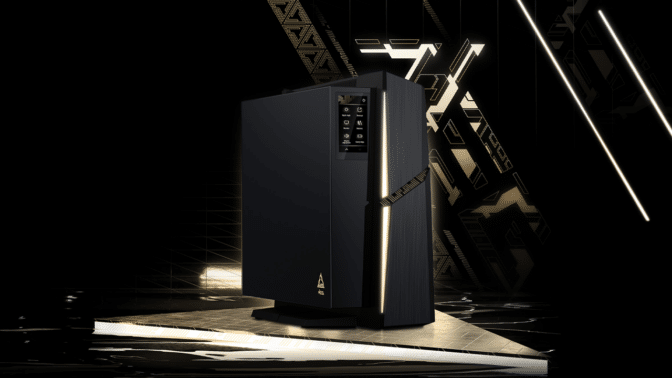
Tung uses an MSI MEG Trident X2 desktop, powered by GeForce RTX 4090 graphics, to accelerate his creative workflow.

“The enhanced speed and performance expedites various processes, such as updating material textures in Adobe Substance 3D Painter and rendering in Blender,” said Tung. “The necessary specifications and requirements align, enabling maximum creativity without limitations.”
Exquisite Visuals Made E-fish-ciently
Tung’s 3D animation, The Given Fish, may look simple at first glance — but it’s surprisingly complex.
“GeForce RTX GPUs are indispensable hardware for 3D rendering tasks. Faster speeds bring significant benefits in production efficiency and time saved.” — Steven Tung
In the creative world behind the animation, the stone fish depicted can be consumed by people. The concept is that once taken out of the aquarium, the stone fish transforms into a real, living one.
“I have a strong desire to have an aquarium at home, but it’s not practical,” said Tung. “The next best thing is to turn that emotion into art.”
Tung began by creating concept sketches in Adobe Photoshop, where he had access to over 30 GPU-accelerated features that could help modify and adjust his canvas and maximize his efficiency.

Next, Tung jumped from 2D to 3D with ZBrush. He first built a basic model and then refined critical details with custom brushes — adding greater depth and dimension with authentic, hand-sculpted textures.

He then used the UV unwrapping feature in RizomUV to ensure that his models were properly unwrapped and ready for texture application.

Tung imported the models into Adobe 3D Substance Painter, where he meticulously painted textures, blended materials and used the built-in library to achieve lifelike stone textures. RTX-accelerated light and ambient occlusion baking optimized his assets in seconds.

To bring all the elements together, Tung imported the models and materials into Blender. He set up texture channels, assigned texture files and assembled the models so that they would be true to the compositions outlined in the initial sketch.

Next, Tung used Blender Cycles to light and render the scene.

Blender Cycles’ RTX-accelerated, AI-powered OptiX ray tracing enabled interactive, photorealistic movement in the viewport and sped up animation work — all powered by his GeForce RTX 4090 GPU-equipped system.

RTX accelerated OptiX ray tracing in Blender Cycles enabled the fastest final frame render.

Check out Tung’s portfolio on Instagram.
Follow NVIDIA Studio on Instagram, Twitter and Facebook. Access tutorials on the Studio YouTube channel and get updates directly in your inbox by subscribing to the Studio newsletter.