

Editor’s note: This post is part of our weekly In the NVIDIA Studio series, which celebrates featured artists, offers creative tips and tricks, and demonstrates how NVIDIA Studio technology improves creative workflows. We’re also deep diving on new GeForce RTX 40 Series GPU features, technologies and resources, and how they dramatically accelerate content creation.
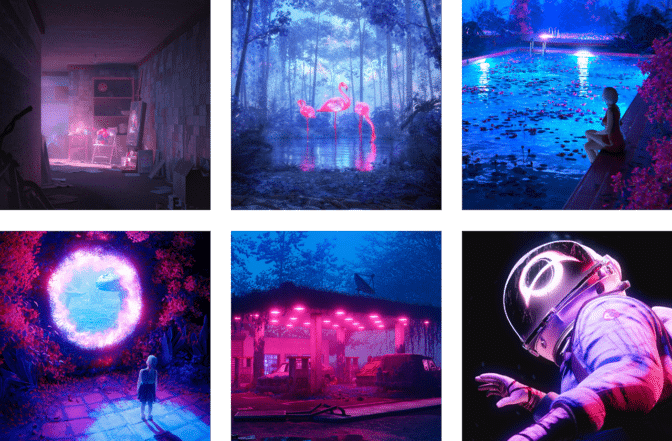
Curiosity leads the way for this week’s featured In the NVIDIA Studio 3D artist, Brellias.
It’s what inspired the native Chilean’s latest artwork Estrellitas, which in English translates to “little stars.” The scene expresses the mixture of emotions that comes with curiosity, depicting a young girl holding little stars in her hand with a conflicted expression.
“She’s excited to learn about them, but she’s also a little scared,” Brellias explained.
The striking visual piece, rich with vibrant colors and expertly executed textures, underscores that while curiosity can invoke various emotions — both joyful and painful — it is always a source of change and growth.
A Sky Full of Stars
To start, Brellias first visualized and reworked an existing 3D scene of a woman in Blender. He used Blender’s built-in multi-resolution modifier for sculpting and added some shape keys to achieve the desired modifications.
He also created a custom shader for the character’s skin — a stylistic choice to lend its appearance a galactic hue.

Next, Brellias tapped Blender’s OptiX GPU-accelerated viewport denoising, powered by his GeForce RTX GPU.
“The technology helps reduce noise and improve the quality of the viewport image more quickly, allowing me to make decisions and iterate on the render faster,” he said.

Next, Brellias animated the scene using a base model from Daz Studio, a free media design software developed by Daz 3D. Daz features an AI denoiser for high-performance interactive rendering that can also be accelerated by RTX GPUs.
In addition, rig tools in Blender made the animation process easy, eliminating the need to modify file formats.
To animate the character’s face, Brellias tied drivers to shape keys using empties, enabling greater fluidity and control over facial expressions.

Brellias then used geometry nodes in Blender to animate the character’s hair, giving it a magical floating effect. To light the scene, Brellias added some ambient light behind the character’s face and between its hands. His RTX GPU accelerated OptiX ray tracing in Blender’s Cycles for the fastest final-frame renders.
Finally, he moved to Blackmagic Design’s DaVinci Resolve to denoise and deflicker the scene for the smoothest-looking animation.
Here, Brellias’ RTX GPU accelerated the color grading, video editing and color scoping processes, dramatically speeding his creative workflow. Other RTX-accelerated AI features, including facial recognition for automatically tagging clips and the tracking of effects, were available for his use.
Estrellitas was partially inspired by Brellias’ own curiosity in exploring NVIDIA and GeForce RTX GPU technologies to power content creation workflows — a venture that provided rewarding results.
“Every step of my creative process involves GPU acceleration or AI in some way or another,” said Brellias. “I can’t imagine creating without a powerful GPU at my disposal.”
His curiosity in AI extends to productivity. He recently installed the NVIDIA Broadcast app, which can transform any room into a home studio.
The app has enhanced Brellias’ microphone performance by canceling external noise and echo — especially useful given his urban surroundings.
Download the Broadcast beta and explore the rest of the Studio suite of apps, including Canvas, which uses AI to turn simple brushstrokes into realistic landscape images, and RTX Remix, which allows modders to create AI-powered RTX remasters of classic games. The apps are all free for RTX GPU owners.

Check out Brellias’ portfolio on Instagram.
Follow NVIDIA Studio on Instagram, X and Facebook. Access tutorials on the Studio YouTube channel and get updates directly in your inbox by subscribing to the Studio newsletter.